
One Dongle, One Owner: Putting a Clear Lake Weather Station on the Air
How I turned an Acurite 433 MHz sensor and an RTL-SDR dongle into Weather Underground station KCACLEAR4 with two small, careful bash scripts.
Tinkering with Time, Tech, and Culture #68
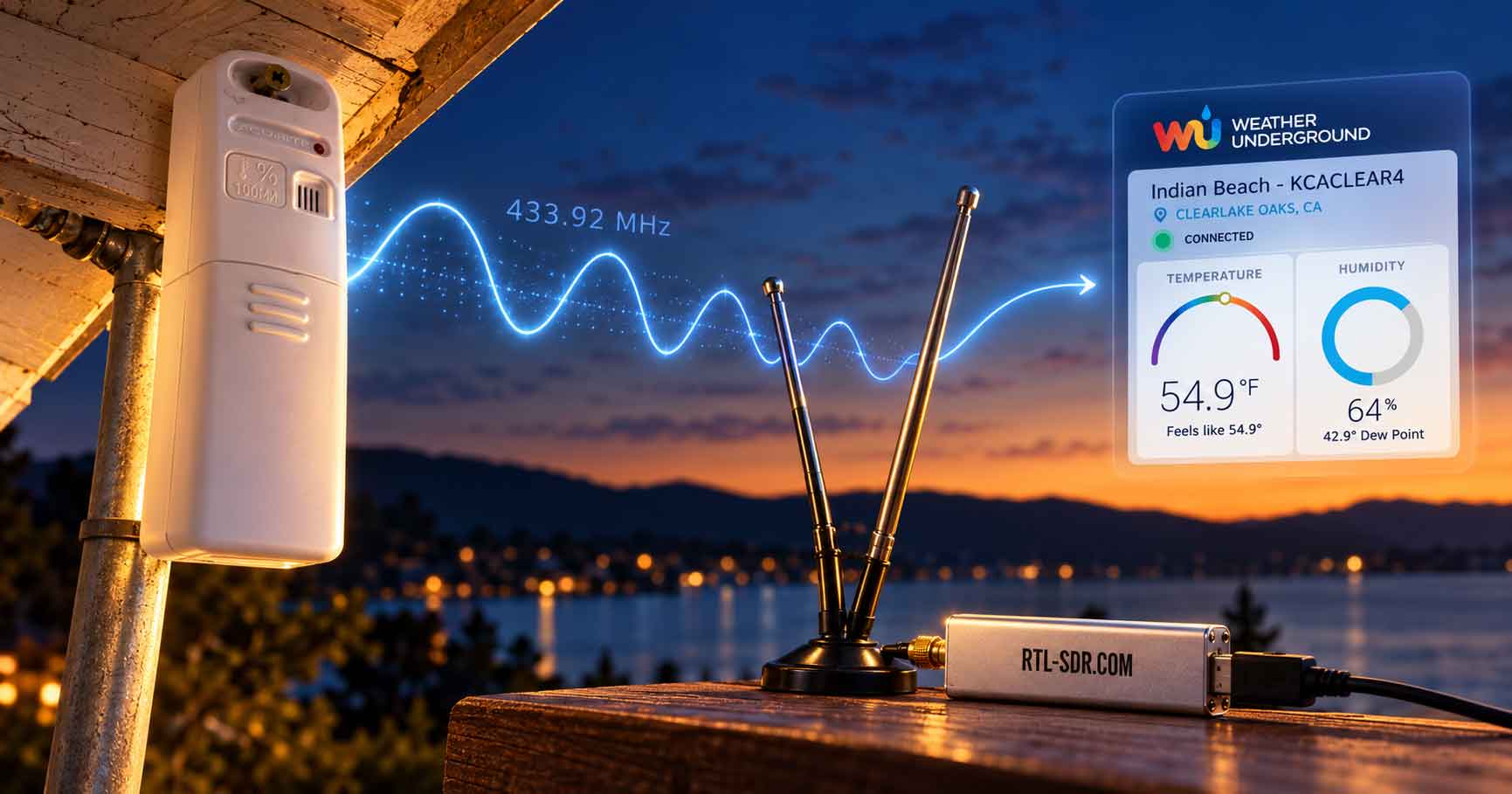
There is a little Acurite temperature and humidity sensor at the lake house that never stops talking. Several times a minute it broadcasts the current reading on 433.92 MHz, in the clear, to anyone who cares to listen. A cheap RTL-SDR dongle plugged into lakeserver listens.
For a while that dongle fed one thing: an MRTG graph of the temperature at the lake. This summer I wanted it to feed a second thing, a public Weather Underground station. That station is now KCACLEAR4, and the code that runs it is on GitHub as lowerpower/wu-upload.
It is two shell scripts and a cron line. It is also a good example of something I keep relearning: the code that moves the data is the easy part. The real work is making every failure say what it actually is.
The pipeline
Acurite sensor
    -> RTL-SDR / rtl_433
    -> read_acurite.sh
       -> /tmp/lake_temp.txt   (local graphing)
       -> JSON -> wu-upload.sh -> Weather Underground
rtl_433 does the radio work. It decodes hundreds of cheap 433 MHz devices and emits JSON. read_acurite.sh listens for one matching packet and hands it off. wu-upload.sh validates it, computes a couple of derived values, and posts it. Cron runs the whole thing every five minutes.
That's the whole system. Here's what it took to make it boring.
Rule one: one dongle, one owner
The first version of this was the obvious one. Leave the old lake-temperature cron job alone, add a new Weather Underground job next to it, and let them both read the sensor.
That does not work. An RTL-SDR is a USB device that one process claims. When two rtl_433 instances try to open the same dongle, both fail, and they fail intermittently, depending on whose five-minute schedule lands on whose. That is the worst kind of bug: everything works most of the time.
So the design rule became: read_acurite.sh is the only thing that ever starts rtl_433. One RF read now serves both consumers. Every successful read refreshes the local graph file and returns JSON to the uploader. The upload job owns the schedule. The graph just reads a file.
The uploader enforces the rule at runtime with a non-blocking lock:
# Two rtl_433 processes on one dongle will both fail. Bail rather than fight.
exec 9>"$LOCKFILE"
flock -n 9 || { log "SKIP previous run still active"; exit 0; }
And the old cron job? I didn't delete it. I neutralized it. process_data.sh is now this, in its entirety:
#!/bin/bash
# Do not start another rtl_433 process here; the SDR must have only one accessor.
exit 0
That looks silly until you've run machines for a few decades. Removing a crontab line means remembering every machine that has it. Turning its target into a no-op means a stale entry anywhere does nothing, quietly, forever. I've run a 24x7 Linux box since 1994. Stale crontab lines are how old systems haunt new ones.
Returning early is harder than it looks
The reader should return the moment a good packet arrives, not sit out its whole listening window. The Acurite sends often, so most reads finish well inside the window. Blocking for 60 or 90 seconds every time would be wasteful, and it holds the dongle hostage the whole time.
The obvious shell idiom is rtl_433 ... | head -n 1. It doesn't work. rtl_433 23.11 has no "quit after the first event" flag, and command substitution waits for every process in the pipeline to exit. head exits after one line, but SIGPIPE isn't enough to get rtl_433 out of the way, and the substitution sits there waiting for it.
So the reader does it the explicit way. It runs rtl_433 in the background with line-buffered output, polls the JSON file twice a second for a match, and kills the radio the moment it has one:
stdbuf -oL "$RTL_433_BIN" -F json -f "$RTL_FREQ" >"$RAW" 2>"$ERROR_FILE" &
RTL_PID=$!

while [ "$(date +%s)" -lt "$DEADLINE" ]; do
    kill -0 "$RTL_PID" 2>/dev/null || break     # rtl_433 exited early
    READING=$(jq -c --arg ID "$ACURITE_ID" 'select(...)' "$RAW" | head -n 1)
    [ -n "$READING" ] && break
    sleep 0.5
done
A trap cleans up the background process and temp files on any exit. Two smaller lessons are baked in too:
- Set the frequency explicitly. Left to pick its own, the R820T tuner reports "PLL not locked," which costs sensitivity.
-f 433.92Mmakes that go away. - Don't filter by protocol number.
rtl_433's numeric-Rprotocol IDs shift between releases. Decode everything and select bymodelandidin the JSON instead. That survives upgrades.
The local graph file is written atomically: temp file, chmod, mv. MRTG never sees half an update, and a failed read leaves the last good value in place. It's four lines, which is exactly what MRTG wants from an external script, so the target is just a cat:
Target[lake]: `cat /tmp/lake_temp.txt`
Options[lake]: nopercent,gauge
Published data is permanent
A local graph with a glitch in it is a curiosity. A public weather archive with a glitch in it is a lie that never goes away. Weather Underground keeps the history, other people pull it, and a bad reading can't be recalled.
So the uploader refuses anything implausible before it leaves the machine: temperature outside -40 to 140 °F, humidity outside 0 to 100%. Those bounds are generous on purpose. They aren't trying to be a meteorologist. They catch the decode error that says it's 400 degrees at the lake.
It also computes dew point (Magnus-Tetens) and heat index (the NWS Rothfusz regression, with the standard low- and high-humidity adjustments) locally, with awk. Weather Underground would derive both itself. Sending them explicitly means my local log and their archive agree, rather than depending on their formula matching mine. For a sanity check, 95 °F at 50% humidity comes out to a heat index of 105, which is what the NWS chart says.
HTTP 200 is not success
This one is a classic. Weather Underground's upload endpoint returns HTTP 200 for everything. Good upload: 200. Wrong key: 200. So curl -f tells you nothing. The response body is the real status:
case "${response,,}" in
    success)               log "OK id=$SENSOR_ID tempf=$TEMP_F ..." ;;
    *invalidpasswordid*)   die "credentials rejected — check Upload Key for $STATION_ID" ;;
    *)                     log "ERROR unexpected response: $(scrub <<<"$response")"; exit 1 ;;
esac
Note the scrub. The upload key travels as a URL parameter, and curl will happily echo the full URL in an error message. Anything bound for the log goes through a sed that replaces PASSWORD=... with PASSWORD=*** first.
The key itself lives in /etc/pws/secrets.env, never in the repo and never in the script, and the uploader refuses to run if that file is more permissive than mode 600. Keys are looked up as WU_UPLOAD_KEY_<STATION_ID>, so one secrets file can serve several stations. Every setting has an environment override, so a second station is a different cron line, not a fork.
RF is lossy. Silence is not.
Radio drops packets. A sensor at the edge of range, a neighbor's garage door opener, a bad moment: one missed read is normal and should not page anybody. Thirty minutes of nothing is a different story.
So the uploader keeps a counter in /run/pws/consecutive-misses. Each miss increments it and logs a WARN. At six in a row, half an hour of silence, it escalates to ERROR and says to check the sensor battery or the SDR. The first good read resets it to zero.
Then I found the hole in that logic, on a fresh install. The reader's default path pointed at my home directory, which doesn't exist on anyone else's machine. The uploader couldn't find the reader, counted that as an RF miss, logged six patient warnings over thirty minutes, and then confidently blamed the sensor battery.
The fix was one line, and it's the kind of line I care about most:
[[ -x "$READER" ]] || die "reader not executable: $READER (set \$READER)"
A missing program is a configuration error. It should fail loudly, immediately, and by name, not dress itself up as weather. A failure counter is only honest if it counts the right failures.
The failure that looks like a dead sensor
One more, because it will get anyone who builds this. Acurite sensors usually pick a new ID when you change the battery. The reader filters on a specific ID (mine is 460) so it doesn't pick up a neighbor's sensor. Swap the batteries and your station goes silent, the sensor's display looks fine, and everything points at a dead radio.
It isn't. Run the reader with an empty ID to accept any Acurite in range and see what's talking:
ACURITE_ID= ./read_acurite.sh --json 60
Then update the ID. It's in the README in bold, because I want future me to find it before future me buys a new dongle.
Off the mark
Last detail, and my favorite. The cron schedule is every five minutes, offset by two:
2,7,12,17,22,27,32,37,42,47,52,57 * * * * /usr/local/bin/wu-upload.sh
Most stations on Weather Underground fire on the :00/:05 mark. Firing two minutes later stays out of the crowd. It also keeps the 60-second radio read clear of every other job on the box that likes round numbers.
Why bother
None of this is hard. It's two shell scripts and some jq. But it's the same lesson I keep learning on much bigger systems: the happy path is a weekend; the failure paths are the actual engineering. Here, every way it can break has a name in the log. SDR unavailable. no Acurite report. credentials rejected. reader not executable. Six misses means something is really wrong, and one miss means nothing at all.
If you have an Acurite sensor and an RTL-SDR in a drawer, you're an afternoon away from your own station. The code is MIT-licensed at github.com/lowerpower/wu-upload. It defaults to my station ID, so set STATION_ID to yours, and do read the bit about batteries.
The lake has a lot to say. Now it says it to the world, every five minutes, two minutes after everybody else.
Live station: KCACLEAR4 on Weather Underground.
Code: lowerpower/wu-upload (MIT).
This post is licensed CC BY-SA 4.0.